
autoforward Pro is sold as an in-app purchase, which means Apple handles the billing, not us. Because of that, we cannot cancel a subscription for you, and you won't find a cancel button inside the app. Instead, you cancel it in Apple's subscription management, which takes about a minute.
Follow these steps on an iPhone signed in to the Apple Account you used to buy the subscription.
The images below are illustrations. Names, prices and currency depend on your country, and your iOS version may look slightly different.
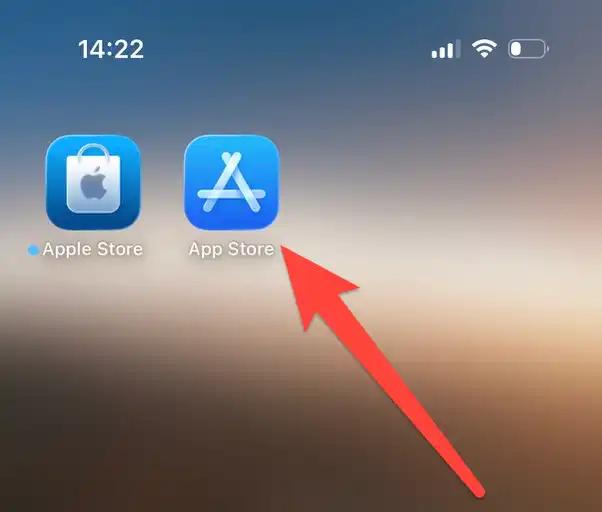
1. Open the App Store
Find the App Store icon on your iPhone and tap it. (This is not the "Apple Store" app, which is Apple's shopping app.)
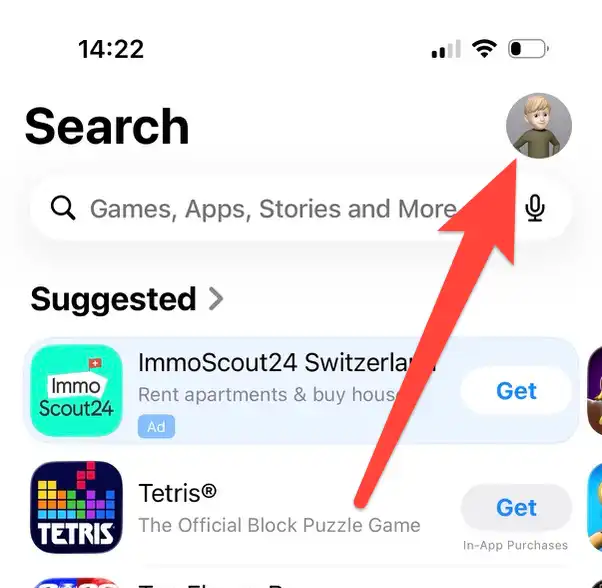
2. Tap Your Profile Picture
In the top right corner of the App Store, tap your profile picture or initials.
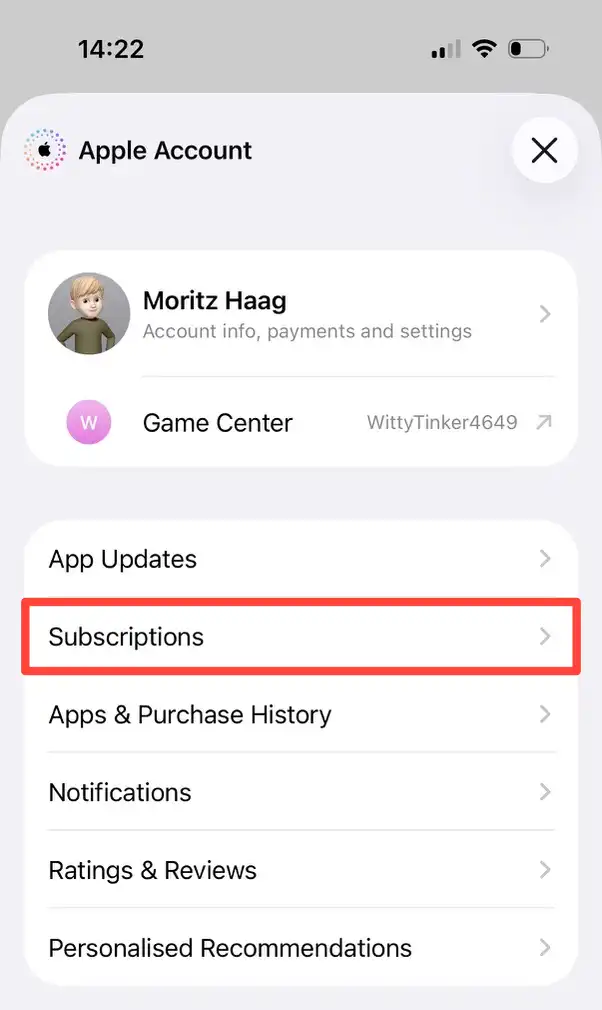
3. Tap "Subscriptions"
In the panel that opens, tap Subscriptions.
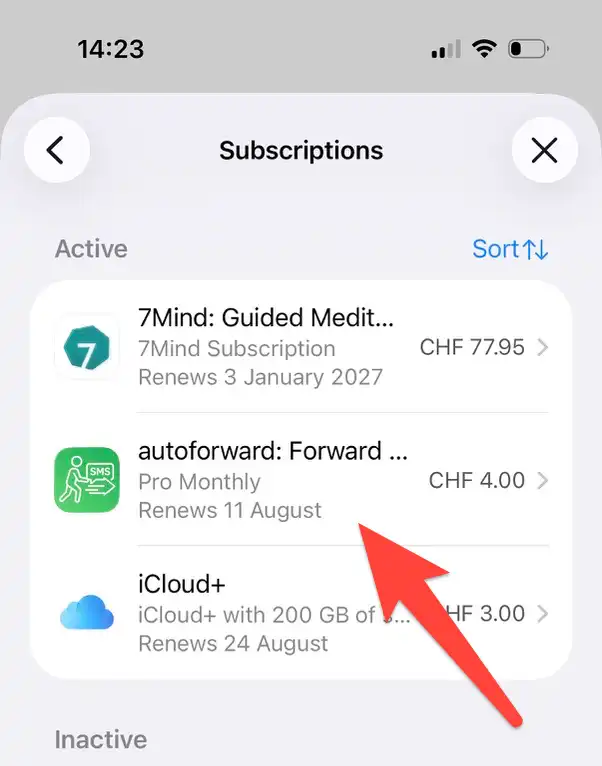
4. Select autoforward
In your list of subscriptions, tap the entry whose name starts with autoforward.
If it isn't in the list, see "I can't find the subscription" further down.
5. Tap "Cancel Subscription" and Confirm
Tap the red Cancel Subscription button, then confirm. You may need to scroll down to find it. During a free trial, the button mentions the trial instead, and it does the same thing.
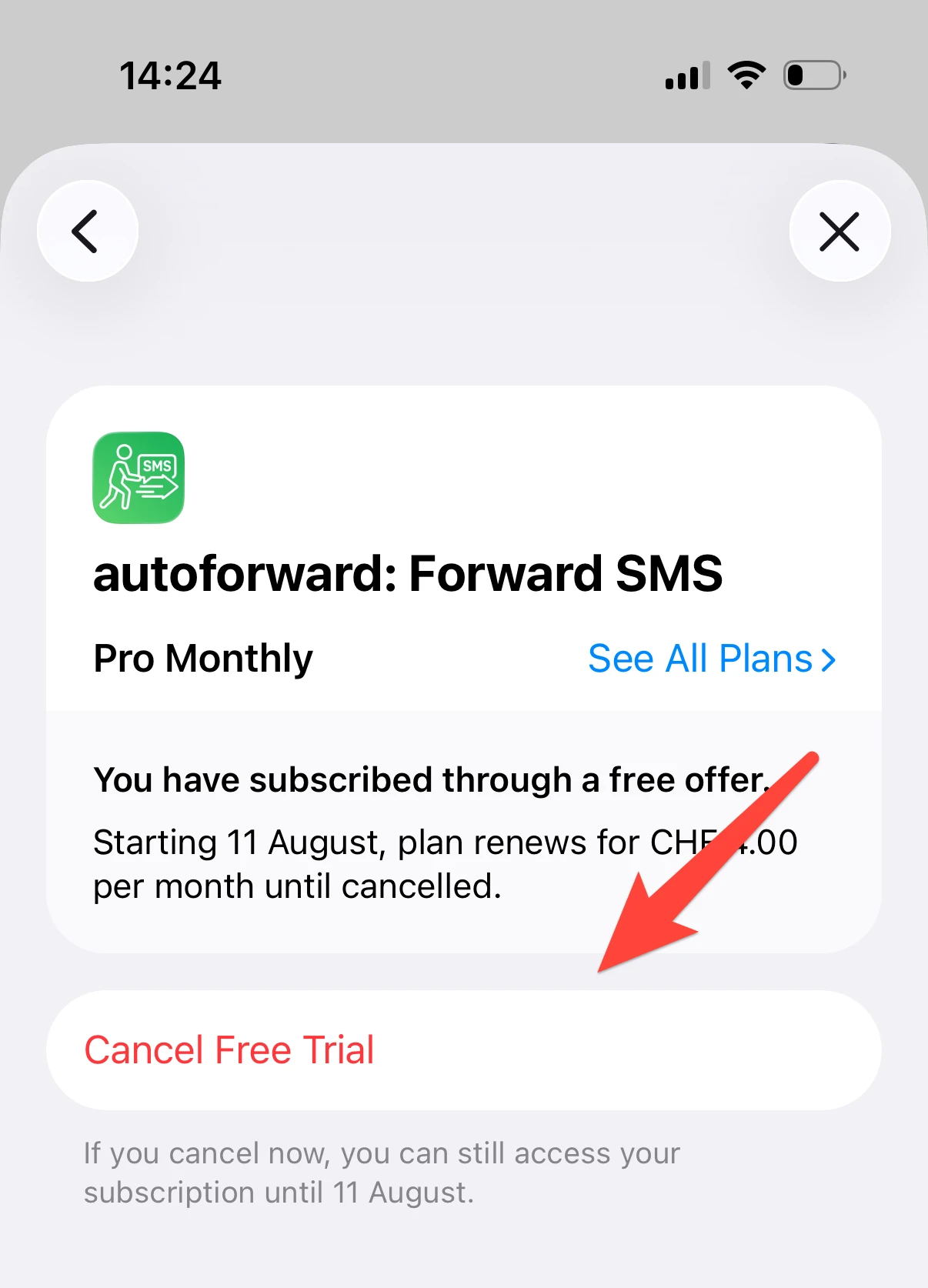
That's it. Your subscription will no longer renew.
How to Check That It Worked
Go back to your list of subscriptions. The autoforward entry should now show when it expires instead of when it renews. If it still says it renews, repeat step 5.
Apple usually also sends a confirmation email to the address of your Apple Account.
What Happens After You Cancel
- You keep Pro until the end of the period you already paid for. Cancelling stops the renewal; it does not cut access short.
- After that, your account moves to the free plan. Forwarding keeps working within the free plan's limits.
- Your shortcuts and settings stay untouched. Nothing is deleted, and if you subscribe again later, everything continues where it left off.
- A free trial is cancelled the same way. Do it at least 24 hours before the trial ends, otherwise it may renew as a paid subscription.
Alternative Route: Through the Settings App
You can reach the same screen without the App Store:
- Open the Settings app.
- Tap your name at the top.
- Tap Subscriptions.
- Continue with step 4 above.
For other devices, see Apple's guide to cancelling a subscription.
I Can't Find the Subscription
If autoforward doesn't show up in your list, one of these is usually the reason:
- You're signed in with a different Apple Account. A subscription belongs to the Apple Account that bought it, not to the device.
- A family member bought it. With Family Sharing, the person who bought the subscription has to cancel it on their own device.
- It has already been cancelled. Look further down the list, where expired subscriptions appear.
Still Stuck?
If something doesn't add up, or if you're cancelling because autoforward isn't doing what you expected, get in touch. We'd genuinely like to hear what went wrong.