
Forward SMS messages on your iPhone instantly.
Automatically forward incoming SMS messages to any email address or another phone number. Simple, reliable, and secure.
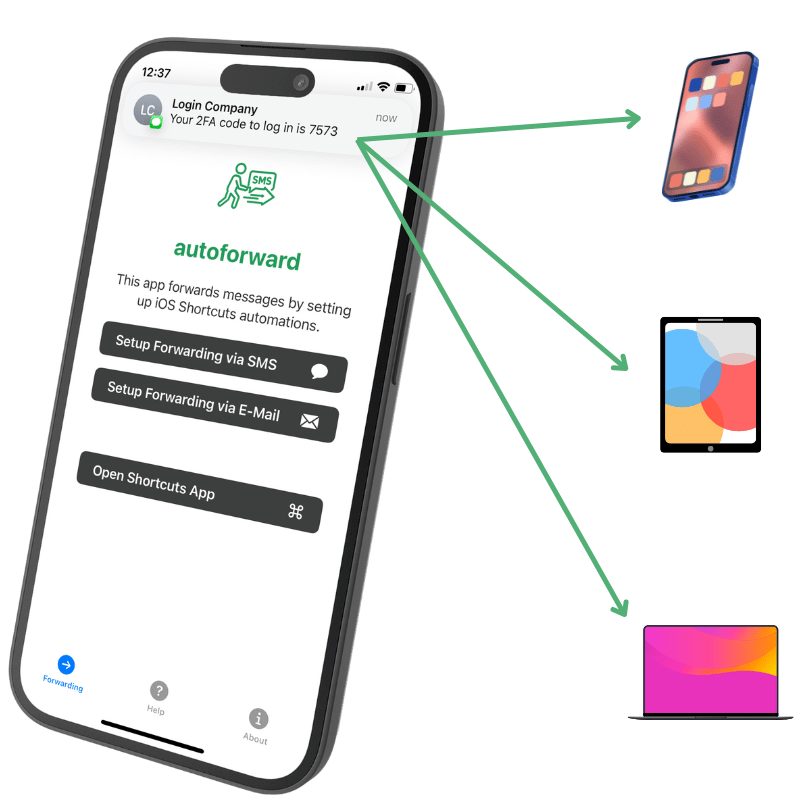
How autoforward Works
SMS to Email Forwarding
Receive your text messages directly in your or your team's email inbox. Perfect for archiving or managing SMS alongside emails.
SMS to SMS Forwarding
Forward texts to a different phone number. Ideal for secondary phones, international numbers, or team sharing.
Common Uses
2FA & Verification Codes
Reliably receive 2FA codes via email if your primary phone isn't available or lacks signal.
Delivery & Appointment Updates
Ensure you get important delivery notifications or appointment reminders, even if you prefer email.
Frequently Asked Questions
Is this iPhone app free?
Yes, autoforward is free to download and use with the included free plan, which covers 5 forwards per day and 15 per month. If you need unlimited forwarding, you can subscribe to the optional autoforward Pro in the app for $4.99/month or $24.99/year, including a 7-day free trial. There are no hidden costs — local prices may vary by country, as they are set by Apple.
Are there any limits?
The free plan includes 5 forwarded messages per day and 15 per month. autoforward Pro removes these limits entirely — only a fair-use rate limit still applies to protect against abuse.
How does the setup work?
You can find detailed instructions in the how-to section.
Is this app iPhone only?
Yes, the app itself is only available for iPhones. However, you can forward messages to Android devices or email addresses.
Get Started for Free
autoforward is free to get started — the free plan includes 5 forwards per day and 15 per month. Need unlimited forwarding? Upgrade to autoforward Pro for $4.99/month or $24.99/year.
Your Privacy Matters
We prioritize your security. Messages are processed securely and are never stored longer than necessary for forwarding.